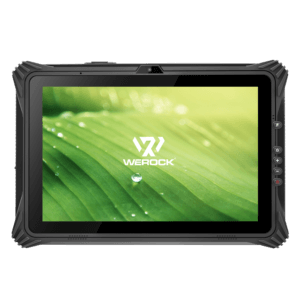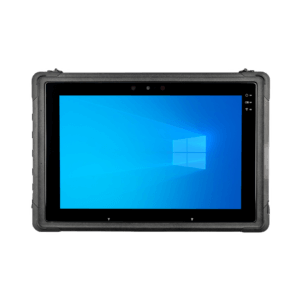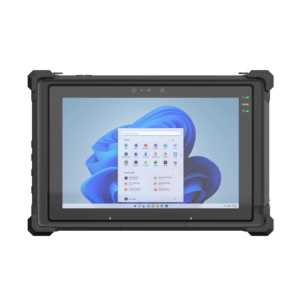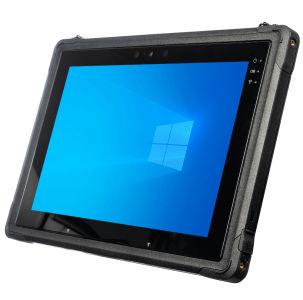
Manufacturers that can make decisions on the fly have a distinct advantage. Immediate access to information can prevent production run delays on the shop floor, speed order delivery and inventory tracking in the warehouse, and prevent service technicians from having to call the service desk for assistance with complex products.
According to Pierfrancesco Manenti, an IDC analyst who was quoted in a Computerworld article on tablets in manufacturing the information access enabled by mobility is “not only relevant for people outside the company, but also for those inside the company who have information needs and are not tied to their desk, but are tied to their asset.”
While manufacturers have been using laptops and Windows-based mobile devices to bring more information to production employees and service technicians, the solutions have had their share of problems. Rugged laptops are heavy, expensive and take time to boot up. Windows mobile devices normally have small screens, no keyboards, pens that get lost and connections that run slowly.
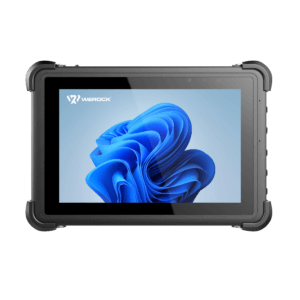
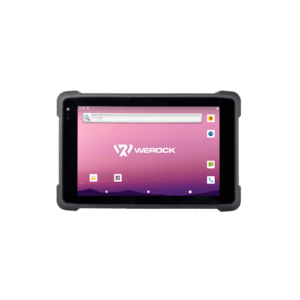
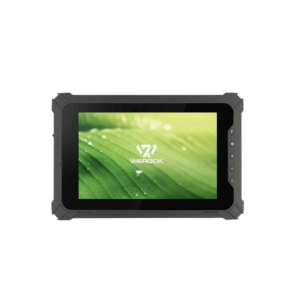
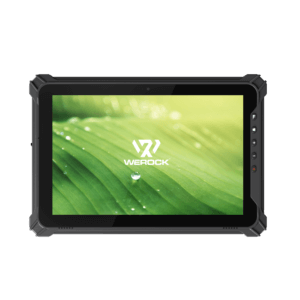
That’s why more manufacturers are looking at tablets to provide a lighter, leaner, more efficient and more economical solution:
- Tablets offer large, high-definition screens that allow workers to view animated work instructions
- Embedded GPS technology can help technicians get to client sites faster, and even pinpoint problems on the production line
- Tablet cameras can capture photos and videos of problems for real-time troubleshooting and quality control
- Data that’s input into tablets can be used to generate business intelligence reports that inform decisions
- Tablets give field technicians lightweight access to service manuals and a video link to service assistance, so that more repairs can be completed in one visit
MBX Systems, which makes hardware appliances and embedded systems, moved away from Motorola Windows Mobile devices to tablets in November 2010. According to Computerworld’s Beth Stackpole, MBX warehouse workers are using tablets to fulfill 14 percent more orders and reduce order defects by 20 percent.
“In the factory, employees no longer have to carry clipboards and use pen and paper to record notes about exceptions or write descriptions of quality problems—and later re-enter the information on a PC (which they sometimes never got around to doing at all,” CIO Justin Formella admits). “Now they can do everything they’d do on their desk on the iPad while picking—they can even check email,” he says.
According to the Computerworld article, Formella emphasizes that it’s the tablet form factor, rather than the brand, that works for MBX. “If we were to do the project today, I think we may have chosen one of the Android-based tablets, mostly because they don’t seem to have the same issues and workarounds associated with making the Bluetooth scanner work,” Formella says.
Some other stumbling blocks to tablet usage in industrial settings include concerns about durability and security.
These concerns are being addressed in several ways. Companies that use the consumer-oriented tablets are mounting them to equipment or enclosing them in sturdy casing for extra protection. Some tablets offer durable Corning® Gorilla® Glass, which makes the device a good choice for light industrial settings. Others like the Lenovo ThinkPad Tablet have undergone military-specification (MIL-SPEC) tests for dust, temperature, humidity, water, vibration, drops, pressure and other harsh conditions.
Speaking of dust and water, a digitizer pen can help users who work in manufacturing environments that can often be grimy. A stylus offers precision inputs that wouldn’t be possible with “cold, dirty or gloved hands” on a touch screen, says Sharon Love, Lenovo’s Director of Tablet Solutions.
Security is an issue for any mobile device user, but this can be particularly important in manufacturing where confidential product or customer data can be vulnerable to theft or loss. For tablets that need to house sensitive information, anti-theft technologies that enable data wiping, device-disable and location tracking give manufacturing executives greater peace of mind. Similarly, consider setting up a curated app store to give enterprise IT greater control over what finds its way onto each networked device.
Are Tablets Right for You?
Lenovo’s Love recommends that manufacturers pilot devices to see how effective they are in different environments. Well-designed pilot programs last between one and three months, and involve anywhere from 1 to 5 percent of the total number of devices that will ultimately be deployed.
“If you’re deploying 10,000 tablets, then you should pilot with at least 150,” Love says. “Give the devices to a diverse group of users, making sure to include people with a lot of influence and a mix of experienced and inexperienced employees.”
- From her experience working with clients, Love offers the following tips to increase tablet adoption:
- Provide tablet users with something of value to them in exchange for the data they enter: This “reward” can be in the form of a visual or a report
- Give tablets to stationary employees who interact with mobile workers, so that everyone can access the same information in the same way
- Data that employees use 80 percent of the time should reside on the device itself. The other 20 percent can be delivered over a Web browser
- Keep in mind that many valuable data visualization and analytics applications are Flash-based, which, for now, requires devices with an Android or Windows operating system
Love stresses that it all comes down to usability, and that tablets will be well received if they make people’s jobs easier. “You’re asking people to change their behavior,” she says. “If it’s still easier to do things the old way, your employees aren’t going to adopt a new way of working.”
Let us know if you’re using tablets for manufacturing—either on the production line or as a customer service tool for your field technicians. What successes or problems have you experienced? If you’re not yet using tablets, what factors are preventing you from doing so?
Could tablets really help your organization improve productivity? This brief discusses real-world examples of how organizations are deploying these mobile devices outside the four walls of the office. Learn how tablets can help your customer service and field sales teams in particular interact more effectively with clients, close deals faster, and reduce administrative work.